Juan Daze

Saturday, August 1, 2026.

You have been invited!

Juan Daze is an annual celebration of friends and family.

If you are here, you are my friends and family.

Juan DAZE follows the already famous Joyce Daze Blackberry Festival in Joyce, WA. You can spend the whole day in our little town, eat pie, visit the vendors, and after the parade (1pm ~ 2pm) make your way to my house. 307 Shire Ln, Port Angeles, WA 98363.

Come prepared to eat and play games.

P.S. This event happens every year on the first Saturday in August. You have a standing invitation.

How to Keep Inbox 100 Percent Spam Free

There are 4 steps to keep your INBOX spam free.

In order to keep ALL spam out of the inbox you must think opposite to what seems logical. Most people think that by “blocking” the emails as the come in, it will stop the spammer from sending more.

Blocking someone only works if the person you are trying to block is a single user some one like you and me. Unfortunately, spammers don’t play fair. Continue reading “How to Keep Inbox 100 Percent Spam Free”

How to get out of FAKE virus infection

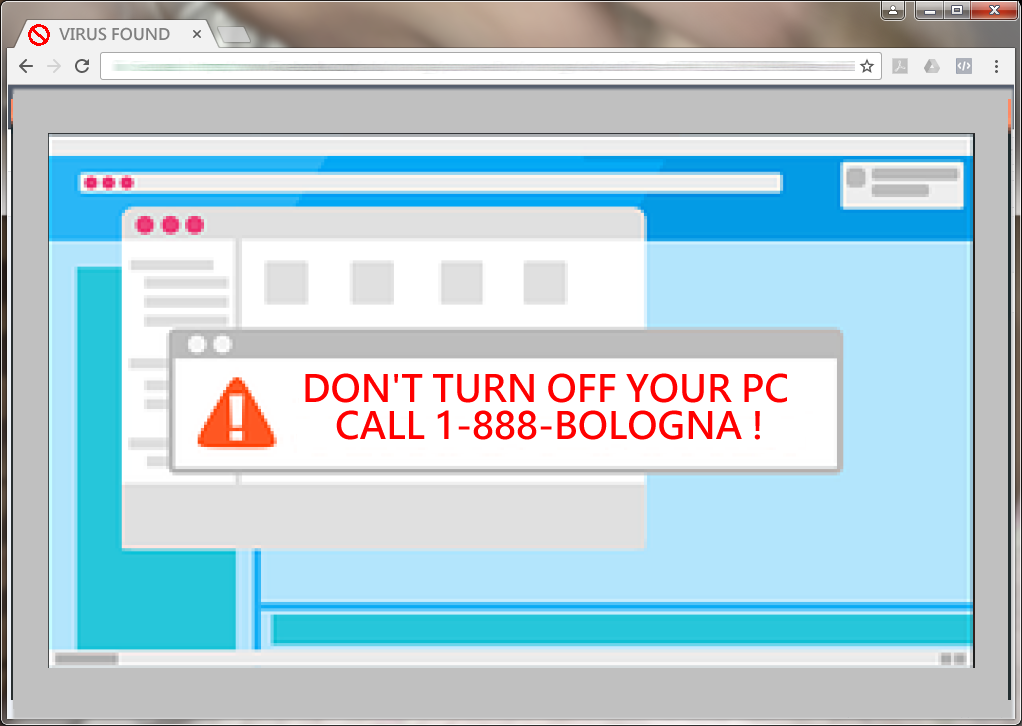
YOUR COMPUTER IS INFECTED. DO NOT TURN OFF YOUR COMPUTER UNTIL YOU CALL THIS NUMBER: 1-800-BOLOGNA.

People. It is a waste of your time to call that number or any like it.

IT IS NOT TRUE. There is no problem with your computer.You have landed on a web page specifically designed to trick you into calling a Fake tech support professional. Who by a few magical clicks of the mouse, will “fix” your computer.
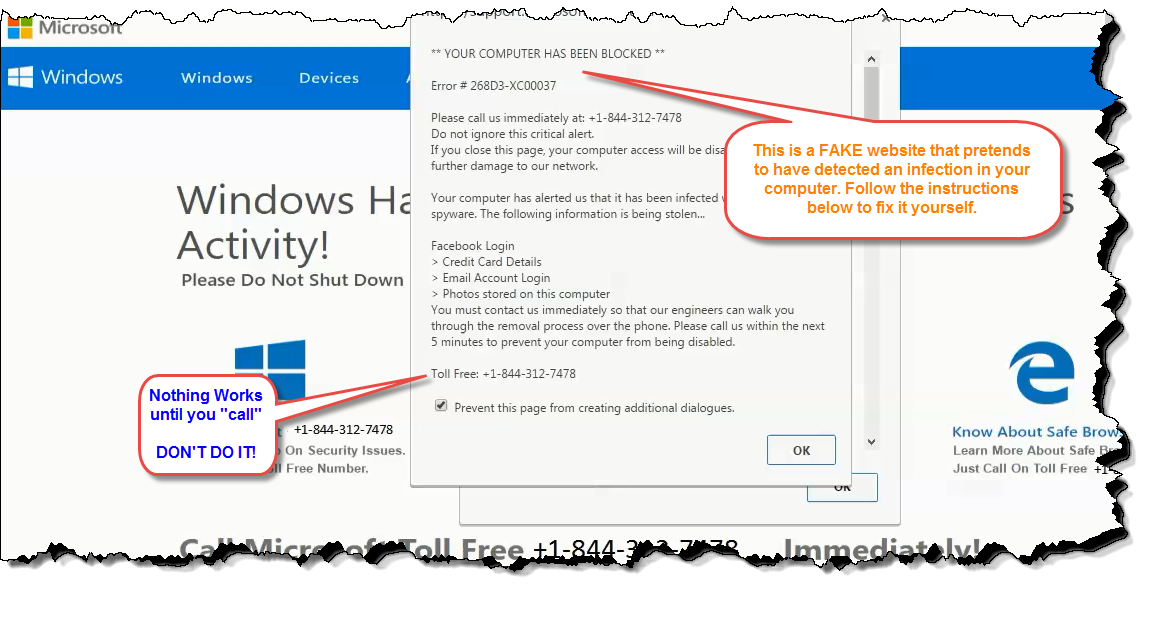
$600 and 2 hours later, after “they” make you feel afraid for your life, you will be angry. You will feel stupid and degraded once you find out you have been taken.

Save Yourself Some Frustration

The fix costs $0. Here it is:

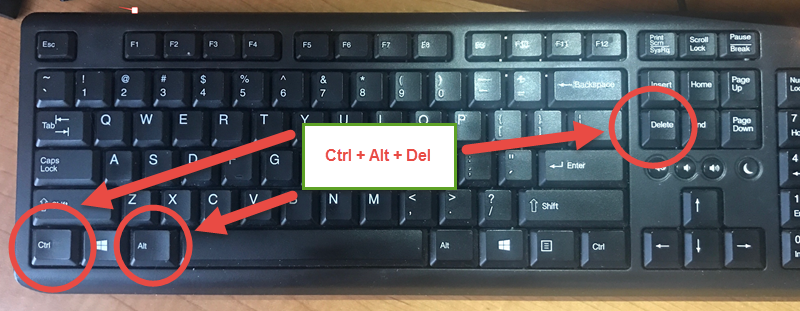
1) hit the [Ctrl] + [Alt] + [Del] keys, all once.

2) Select “Task Manager” from the list.
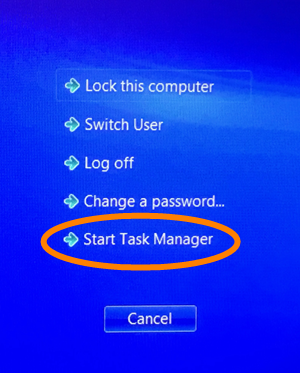
Admin System Menu
3) Right-click on the name of your browser.
4) Left-click “End Task”

Close the task manager when the “warning” web page has closed.

Enjoy your computer.

Your next steps:

Friend, I wrote this quick tutorial for you because I am tired… no, tired is not the word. Angry! That’s the word.

I wrote this because I am angry that Overseas Tech Support Shops are using unethical business practices to drum up business.  Instead of providing value to their customers and building a relationship of trust first then asking for a value added transaction, they resort to taking them hostage and extort money from them.

If you got value from this post, please hit one of the buttons below and share with your friends.

Windows Live Mail Support Ends Jan-17

wlmThe rumors are true… Microsoft will drop support for Windows Live Mail early next year. What does it mean for you? If you are using Windows Live Mail, it will NOT vanish from your computer. It just means Microsoft will stop supporting it. They will stop updating it fixing it or otherwise tinkering with it.

Windows Essentials 2012 suite will reach end of support on January 10, 2017

As you may recall Windows XP had its support terminated a few years ago. I still see people using it.  It has not gone away, and Outlook Express is still around. There is no need to panic. It’s just time to weigh your options.

Here’s some options:

  1. Microsoft Outlook
  2. Mozilla Thunderbird
  3. Mail (built in to Microsoft Windows 10)
  4. Web mail
  5. Zimbra?
  6. or… just keep using Windows Live Mail.

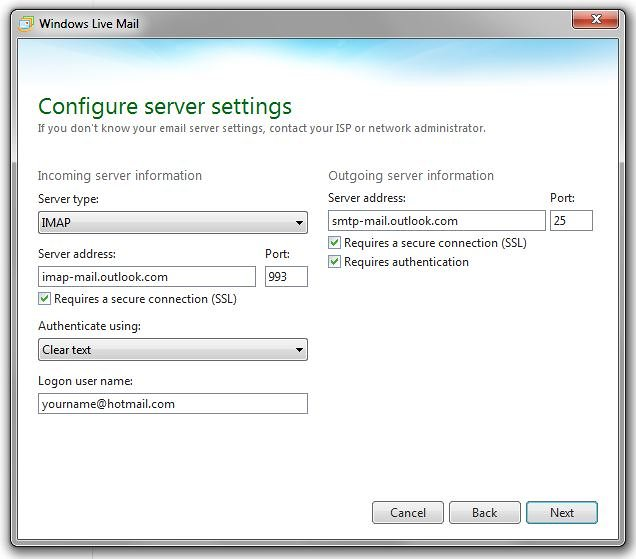
For now, any email address from Microsoft email systems such as, example@hotmail.com, example@outlook.com, example@live.com, or example@msn.com will not work with Windows Live Mail anymore.  There may be a way around the restriction by creating an IMAP account in your WLM. Just don’t chose the “automatic” settings. Instead, try the following settings:

wlm-imap-settings

Windows Live Mail still works with all the other IMAP/POP mail providers (specifically: tfon.com; or askjuan.net; etc…)